Unlock the ultimate gaming experience by connecting your PC to your TV for immersive big screen action Discover essential tips and tricks for seamless setup optimal performance and reducing input lag Learn about the best controllers wireless solutions and budget friendly upgrades to transform your living room into a gaming hub This comprehensive guide addresses common pain points for busy gamers balancing work and family offering practical advice to maximize fun skill building and social play Stay current with trending games and hardware without the hype and find smart ways to get value for your gaming investment Elevate your entertainment and enjoy your favorite PC titles from the comfort of your couch
Related gamesHow do I connect my gaming PC to my smart TV
Connecting your gaming PC to your smart TV is simple. Use an HDMI cable from your PC's graphics card to an HDMI input on your TV. Then, select the correct HDMI input on your TV using its remote. On your PC, go to Display Settings and choose 'Duplicate' or 'Show only on 2' (your TV) to mirror or extend your desktop.
What is the best way to reduce input lag for PC gaming on a TV
The best way to reduce input lag is to activate your TV's 'Game Mode' if available. This setting bypasses image processing that adds delay. Also, use a direct HDMI connection, preferably HDMI 2.1, and ensure your PC's graphics drivers are updated. Disable any motion smoothing or post-processing features on your TV for optimal responsiveness.
Can I use a wireless controller for PC games on my TV
Yes, absolutely! Most modern console controllers like Xbox Wireless or PlayStation DualShock/DualSense controllers are natively supported by Windows PCs. Connect them via a USB cable, Bluetooth, or a dedicated wireless adapter for a comfortable couch gaming experience. Many PC games offer excellent controller support.
What graphics card is needed for 4K PC gaming on a TV
For smooth 4K PC gaming on a TV, you'll generally need a high-end graphics card such as an NVIDIA GeForce RTX 3070/4070 or AMD Radeon RX 6800 XT/7800 XT and above. The specific card depends on the game's graphical intensity and your desired frame rate. Always check game requirements and reviews for performance benchmarks.
Are there any free tools to stream PC games to my TV
Yes, Steam Link is a popular free tool that allows you to stream games from your PC to your TV over your home network. It's often built into smart TVs or available as an app. Other options include NVIDIA GameStream (for NVIDIA GPU owners) or using Google Chrome's Cast feature for mirroring, though with potentially higher latency.
How do I get proper audio from my PC to my TV for gaming
When connecting your PC to your TV via HDMI, audio typically transmits automatically. If not, go to your Windows Sound Settings and ensure your TV (or the HDMI output) is selected as the default playback device. You can also connect external speakers or a soundbar directly to your TV's audio output ports for enhanced sound.
What's the ideal distance to sit from a TV for PC gaming
The ideal sitting distance depends on your TV's size and resolution. For 1080p, a common recommendation is 1.5 to 2.5 times the screen size. For 4K, you can sit closer, around 1 to 1.5 times the screen size, to appreciate the higher detail without straining your eyes. Experiment to find a comfortable distance that fills your field of view without being overwhelming.
Are you a dedicated gamer who secretly dreams of abandoning your desk setup for the sprawling comfort of your living room couch and the grandeur of a big screen TV? You are not alone. In today's fast-paced world where the average US gamer is around 36 years old and often juggles a job family and a desire for some well-deserved relaxation gaming on a PC connected to a TV is the ultimate sweet spot. We all want to unwind build skills play socially and get great performance without breaking the bank or dedicating hours to complicated setups. It's tough balancing life but gaming should be a source of joy not another headache.
Around 87% of US gamers play regularly often clocking in 10+ hours a week. While mobile gaming continues its dominance there's an undeniable allure to experiencing your favorite PC titles from the comfort of a large display. This guide is built for you the busy adult gamer who craves that immersive experience without the typical tech woes. We'll tackle common pain points from frustrating input lag and confusing cable management to finding games that fit your limited free time and upgrading hardware on a budget. Get ready to transform your living room into a high-performance gaming sanctuary and embrace the joy of PC on TV gaming without the hype.
How Do I Connect My Gaming PC to My TV for the Best Experience
Connecting your PC to your TV for gaming is usually straightforward but a few key details ensure the best experience. The most common and reliable method is a direct HDMI cable connection. For optimal results especially with modern TVs and powerful PCs use an HDMI 2.1 cable if both your graphics card and TV support it. This allows for 4K resolution at 120Hz refresh rates delivering incredibly smooth visuals. Otherwise an HDMI 2.0 cable will suffice for 4K 60Hz or 1440p 144Hz.
Simply plug one end of the HDMI cable into your PC's graphics card port and the other into an HDMI input on your TV. Then use your TV's input selector to choose the correct HDMI channel. On your PC right-click on your desktop select Display Settings and choose to either duplicate extend or show only on your TV. For gaming 'show only on TV' is often best to ensure all resources are dedicated to that display. Ensure your TV is set to 'Game Mode' if available to minimize input lag a critical factor for responsive gameplay.
What Are the Ideal PC Settings for Optimal TV Gaming Performance
Optimizing settings is crucial for a smooth and enjoyable PC on TV gaming experience. First ensure your TV's game mode is enabled. This setting bypasses many of the TV's post-processing features that add latency. Next in your PC's display settings match the resolution to your TV's native resolution typically 1080p or 4K. Then set the refresh rate to the highest supported by both your TV and graphics card 60Hz or 120Hz are common. High Dynamic Range HDR should be enabled in Windows and in-game settings if your TV supports it for richer colors and contrast.
Within your graphics card control panel (NVIDIA Control Panel or AMD Radeon Software) you can further tweak settings. Ensure 'Low Latency Mode' or equivalent is enabled. For individual games adjust graphical settings to find a balance between visual fidelity and frame rate. Aim for a consistent 60 frames per second or higher. Many gamers prioritize consistent frame rates over ultra-high graphics for a more fluid experience especially when playing action-packed titles or social games like Helldivers 2 where quick reactions are key.
Which Controllers Are Best for a Comfortable PC on TV Couch Gaming Setup
Comfort and familiarity are key for couch gaming. The good news is that most modern console controllers are natively supported by Windows PCs making them excellent choices. The Xbox Wireless Controller is a perennial favorite for PC gamers due to its plug-and-play compatibility and ergonomic design. PlayStation DualShock 4 and DualSense controllers also work exceptionally well often offering advanced features like haptic feedback in supported games.
For those looking for a premium experience the Xbox Elite Series 2 or SCUF controllers offer customizable paddles and stick tensions. If you prefer a Steam-centric experience the Steam Controller can be highly versatile though it has a steeper learning curve. Wired controllers generally offer zero latency but wireless options using a dedicated dongle or Bluetooth are perfectly fine for most gamers. Many busy adults appreciate the wireless freedom allowing them to kick back and relax after a long day without cable clutter.
How Can I Minimize Input Lag When Gaming My PC to TV
Input lag is the bane of any gamer, especially when migrating from a low-latency monitor to a TV. Your TV's 'Game Mode' is your first and most effective defense. This mode significantly reduces the time it takes for your TV to process the image, bypassing unnecessary visual enhancements. Check your TV's picture settings; you might find options like 'PC Mode' or specific settings that disable motion smoothing or other post-processing.
A direct HDMI cable connection (preferably HDMI 2.1) is superior to wireless streaming solutions for minimizing lag. Ensure your graphics card drivers are up to date and in-game V-Sync is either off or set to 'Adaptive' to prevent tearing without introducing too much input lag. If you have an NVIDIA card consider enabling 'NVIDIA Reflex Low Latency' in supported titles. Finally, ensure your operating system isn't bogged down by background processes. These cumulative steps significantly reduce the delay between your input and what you see on screen making competitive or fast-paced games like Palworld or Call of Duty much more enjoyable.
What Games Are Ideal for PC on TV Couch Play for Busy Gamers
For gamers balancing life work and family the ideal PC on TV games often lean towards experiences that are enjoyable from a distance with a controller and can be picked up and put down easily. Social and cozy games are trending this month providing perfect relaxation. Think titles with excellent controller support and strong co-op or casual multiplayer elements. Games like Stardew Valley Disney Dreamlight Valley and Minecraft are perfect for unwinding. Local co-op games such as It Takes Two Cuphead or Overcooked provide fantastic opportunities for family fun or social gaming with a partner.
RPG's like Baldur's Gate 3 or Cyberpunk 2077 while complex can offer deep immersive experiences that are wonderful on a big screen from the comfort of a couch. Many free-to-play titles like Apex Legends or Fortnite also have superb controller support and are great for quick competitive sessions. Consider titles that prioritize atmosphere storytelling or exploration over pixel-perfect mouse aim. The beauty of PC on TV gaming is the vast library available allowing you to find titles that fit your mood and time constraints whether it's a quick casual session or a deep dive into an epic adventure.
Is Wireless PC to TV Gaming a Viable Option for Serious Players
Wireless PC to TV gaming has come a long way but for serious competitive players direct wired connections remain king. However for casual or story-driven games wireless solutions can be perfectly viable and incredibly convenient. Technologies like Steam Link built into many smart TVs or available as a dedicated app allow you to stream your PC's display and audio to your TV over your home network. Dedicated wireless HDMI transmitters can also bypass network complexities.
The key factor is your home network's stability and speed. A strong Wi-Fi 5GHz or Wi-Fi 6 connection is essential. If possible use an Ethernet cable for your PC for the most stable connection. Latency is the main concern with wireless streaming. While it's negligible for slower-paced games even a few milliseconds of lag can impact performance in fast-twitch shooters or fighting games. Many gamers find it perfectly acceptable for a relaxing session of a single-player RPG or a co-op game with friends on Discord but might switch to wired for high-stakes esports viewing or competitive play. It's about finding the right balance for your gaming style.
How Can I Balance PC Gaming on TV with a Busy Adult Lifestyle
Balancing gaming with work family and other responsibilities is a common challenge for the average gamer. The beauty of PC on TV gaming is its flexibility. Instead of feeling confined to a desk you can enjoy gaming from the social hub of your living room. Schedule your gaming time like any other activity whether it's an hour after the kids are asleep or a quick 30-minute session during a lunch break if you're working from home. Focus on shorter engaging games or those that allow for natural pause points.
Social gaming can be a fantastic way to connect. Many popular titles support cross-play allowing you to game with friends on consoles. Utilize voice chat on Discord to stay connected even during short sessions. Don't feel pressured to play the latest AAA titles if they demand too much time. Cozy games or free-to-play options can offer immense satisfaction and stress relief without a huge time commitment or upfront cost. Remember gaming is about fun and relaxation so choose games and setups that complement your lifestyle not complicate it.
What About Budget-Friendly Hardware Upgrades for PC on TV Gaming
You don't always need to break the bank for a better PC on TV gaming experience. Smart upgrades can significantly boost performance without requiring a whole new rig. First and foremost ensure you have enough RAM 16GB is typically the sweet spot for modern gaming. If you're still on 8GB an upgrade here offers excellent value for money.
Next consider a solid-state drive SSD. If your operating system and games are on an older hard drive moving them to an SSD (especially an NVMe SSD) will drastically improve load times and overall system responsiveness. For graphics a mid-range GPU upgrade can offer a substantial boost in frame rates at 1080p or 1440p resolutions. Keep an eye out for sales or consider buying a reputable used GPU. Finally a quality HDMI 2.1 cable is a small but crucial investment if your TV and graphics card support it unlocking higher refresh rates and resolutions. These targeted upgrades provide significant bang for your buck allowing you to enjoy your PC on TV gaming without financial stress.
Are There Any Essential Accessories for a Seamless PC on TV Gaming Setup
A few key accessories can elevate your PC on TV gaming experience from functional to fantastic. A high-quality long HDMI cable is paramount ensuring you can position your PC comfortably away from the TV if needed. Wireless controllers as discussed earlier are essential for couch comfort. Consider a dedicated USB dongle for your wireless controller for the most reliable connection. A compact wireless keyboard and mouse combo or a mini-keyboard with an integrated trackpad is incredibly useful for navigating your PC's desktop launching games or typing in chat without needing to get up from the couch.
For audio consider a soundbar or a dedicated surround sound system connected to your TV for immersive sound. If you prefer personal audio a good quality wireless gaming headset will let you communicate with friends on Discord and hear game audio clearly without disturbing others. Some gamers also appreciate a comfortable lap desk or tray to keep their keyboard and mouse stable or simply to hold a drink. These small additions contribute significantly to the overall enjoyment and convenience of your big-screen PC gaming setup.
In conclusion, transforming your living room into a PC gaming paradise doesn't have to be a daunting task. By focusing on proper connections optimized settings the right peripherals and smart game choices you can unlock an incredibly rewarding and relaxing gaming experience. Embrace the comfort of your couch the immersion of a big screen and the social possibilities that PC on TV gaming offers. It's about enjoying your passion on your terms balancing performance and practicality with the demands of a busy life.
What's your biggest gaming challenge when connecting your PC to your TV? Comment below and let us help you solve it!
FAQ Section
Is a 4K TV good for PC gaming? Yes a 4K TV can be excellent for PC gaming offering stunning visual fidelity and immersion. Just ensure your PC's graphics card is powerful enough to render games at 4K resolution with decent frame rates. Enabling Game Mode on your TV is crucial for minimizing input lag and maximizing responsiveness.
Can I use my TV as a second monitor for my PC? Absolutely! Your TV can function perfectly as a second monitor. In your display settings choose 'Extend these displays' to use your TV for media consumption browsing or even displaying Discord while you game on your primary monitor. It offers great screen real estate for multitasking.
What is the difference between HDMI 2.0 and HDMI 2.1 for PC gaming? HDMI 2.1 offers significantly higher bandwidth than HDMI 2.0. This allows for higher resolutions and refresh rates such as 4K at 120Hz or even 8K at 60Hz. It also supports features like Variable Refresh Rate VRR and Auto Low Latency Mode ALLM which are highly beneficial for gaming. For future-proofing and high-performance gaming HDMI 2.1 is preferred.
How do I get sound from my PC to my TV? When connecting your PC to your TV via HDMI the audio signal is usually transmitted automatically through the same cable. You might need to select your TV as the default audio output device in your Windows sound settings. Alternatively you can connect external speakers or a soundbar directly to your TV or PC.
Do I need a powerful PC for TV gaming? The power of your PC depends on the games you want to play and the resolution you target on your TV. For 1080p gaming on a TV a mid-range PC is often sufficient. For 4K gaming especially at high refresh rates you will need a more powerful graphics card and processor to achieve smooth frame rates. Optimize in-game settings to match your PC's capabilities.
Can I play competitive games on my TV with my PC? While possible playing competitive games like esports titles on a TV with your PC can be challenging due to potential input lag and slower response times compared to dedicated gaming monitors. It's crucial to enable your TV's Game Mode and minimize all sources of latency for the best experience. Many casual and social competitive games are perfectly fine but for high-stakes play a monitor is usually preferred.
Easy PC to TV connection Optimal performance settings Wireless gaming solutions Budget friendly upgrades Best couch gaming controllers Input lag reduction techniques Social gaming on big screen Game recommendations for TV Balance gaming with life
35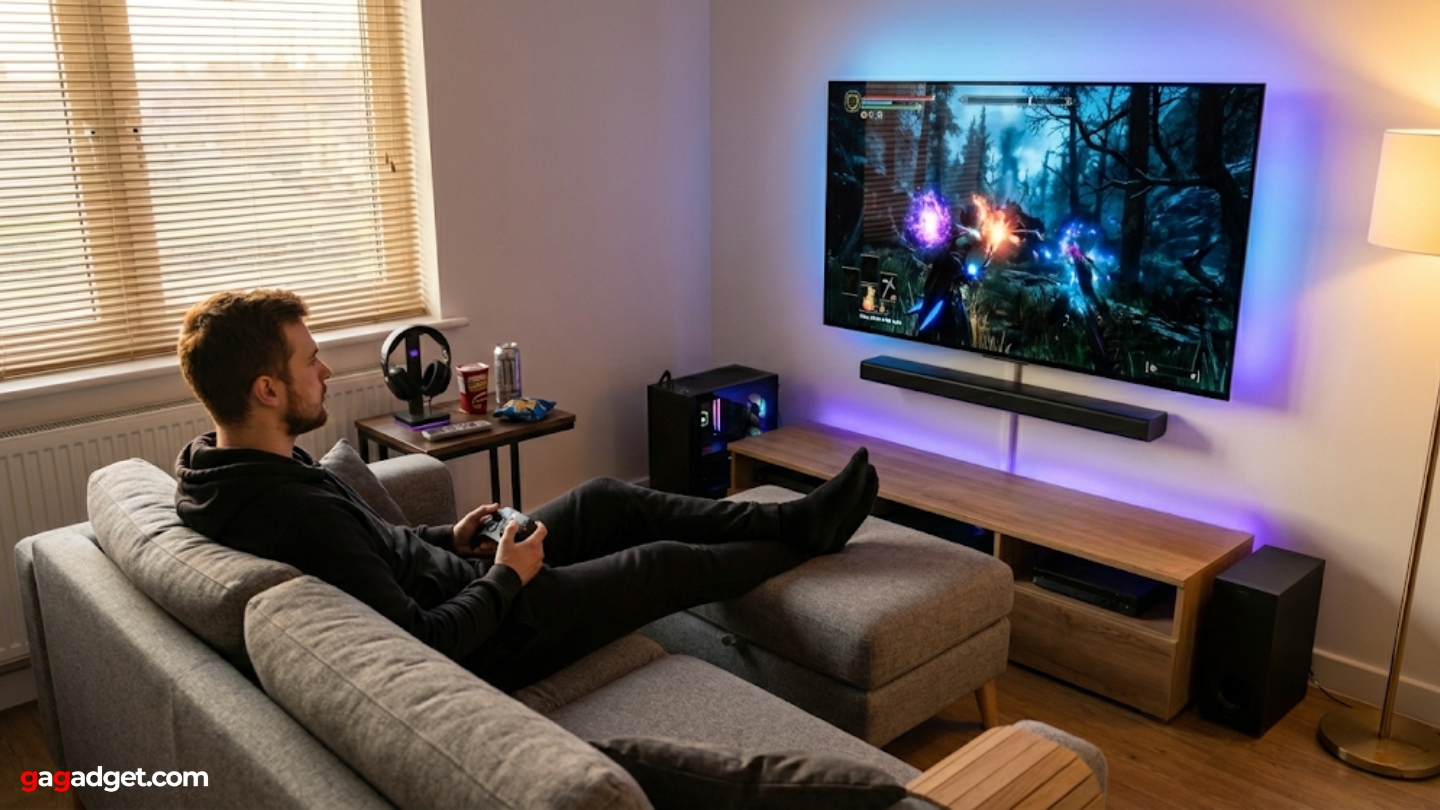


5 Best 4K TVs For PC Gaming In 2026 Comparison And Review 4k Tv For Pc Gaming . Best TV Gaming PC 2026 12 Systems Tested For Living Room Gaming Featured Image Gwkz39mb 300x210 . Best Gaming TVs For PC In 2026 Latest Models Only WhalesDev TV Photo Editing August 2024.webp. Is PC Gaming On A TV ACTUALLY GOOD YouTube . Best TV Gaming PC 2026 Complete Guide To Gaming TVs Best TV Gaming PC


Best Gaming TVs In 2026 Top Picks For Performance Refresh Rate And Two Men Playing Video Game . The Best TVs For PC Gaming 2026 AVForums Best High End Oled Tv For Pc Gaming 2 . The Best Gaming TV 2026 My Top High Spec Living Room Screens GamesRadar 1920 80 . How To Play PC Games On Your TV PC Gamer . The Best TVs For PC Gaming 2026 AVForums Best Small Screen Tv For Pc Gaming 5



The Ultimate Gaming PC Build 2026 Guide By Xidax 1 Unnamed . The Best TVs For PC Gaming 2026 AVForums Best Budget Tv For Pc Gaming 6 . The Best TVs For PC Gaming 2026 AVForums 3x3 . Best Budget Gaming PC In 2026 Affordable Gaming PC Guru Best Gaming Tv Settings Featured 800x500 . Best TV Gaming PC 2026 12 Systems Tested For Living Room Gaming B0DSZ1GKZ5 Customer 1 1024x768

Samsung Launches World S First 6K 1040Hz Gaming Monitors 2026 Sammy Odyssey 2026 Gaming Monitors . Best TV Gaming PC 2026 12 Systems Tested For Living Room Gaming B0DVCZD19R Customer 3 1152x1536 . Best TV Gaming PC 2026 12 Systems Tested For Living Room Gaming B099KSJN8P Customer 2 1152x1536 . Best TV Gaming PC 2026 12 Systems Tested For Living Room Gaming B0DQ6PVLCV Customer 1 1152x1536 . Best TV Gaming PC 2026 12 Systems Tested For Living Room Gaming B0DSZ1GKZ5 Customer 3 1152x1536



The Best Gaming PC 2026 UK Builds At The Cheapest Prices GamesRadar . Best Alienware And Dell Deals 2026 On Gaming PCs And Gaming Laptops . 7 Best Gaming PCs Of 2026 Power Performance And Value Revealed Top Gaming Pcs 2026 1lmv2 . Build PC 2026 Per GTA VI Potenza Massima E Bolletta Minima Generated Images 6. Best TV Gaming PC 2026 12 Systems Tested For Living Room Gaming B099KSJN8P Customer 1 1152x1536




Best Gaming PC Builds For 2026 Best Gaming PC Builds For 2026.webp. PC Project 2026 Where To Start With Building Your Own Gaming PC CCL CCL 667 BLOG BUILD GUIDE 1980x1080 . How To Choose The Right Gaming PC In 2026 Complete Guide Complete Guide 1200x675 . Top 10 Most Anticipated Games Of 2026 What To Watch Out For TVN GAMES IN 2026 . The PC Gaming Show Most Wanted Reveals 2026 S Hottest PC Games Pc Gaming Show.webp


Best PC Gaming Setups 2026 Complete Works Gaming PC Guru Best Pc Gaming Tv Featured 400x250 . Wer Soll Das Alles Spielen Hier Kommen Die PC Highlights 2026 PC Ausblick 2026 V3 Pc Games . The Best Gaming PC 2026 UK Builds At The Cheapest Prices GamesRadar . How To Play PC Games On A 4K TV TechRadar 1226 80 . The Best Gaming TV 2025 My Top High Spec Living Room Screens GamesRadar